This article provides a clear set of checks and solutions to help you diagnose and resolve potential errors related to the Audio Modeling Core Assistant.
If the Core Assistant cannot operate correctly, it is usually due to issues with the background service that manages licensing and system communication.
Use the following sections to identify the root cause on your operating system.
Communication Error – Possible Causes
A communication error may occur when the background service (the Core Assistant) required by the Audio Modeling Software Center:
• is not installed correctly,
• is not running,
• is blocked by system processes, permissions, firewall, or third-party security tools.
Proceed with the OS-specific steps below to verify and restore proper functionality.
WINDOWS
To ensure the Audio Modeling Software Center operates correctly, verify that its background service (the Core Assistant) is installed and running.
1- Open Services (services.msc).
2 - Locate Audio Modeling Core Assistant in the list.
3 - Confirm that the service status is “Running”.
If not, attempt to start it manually and check whether it remains active.
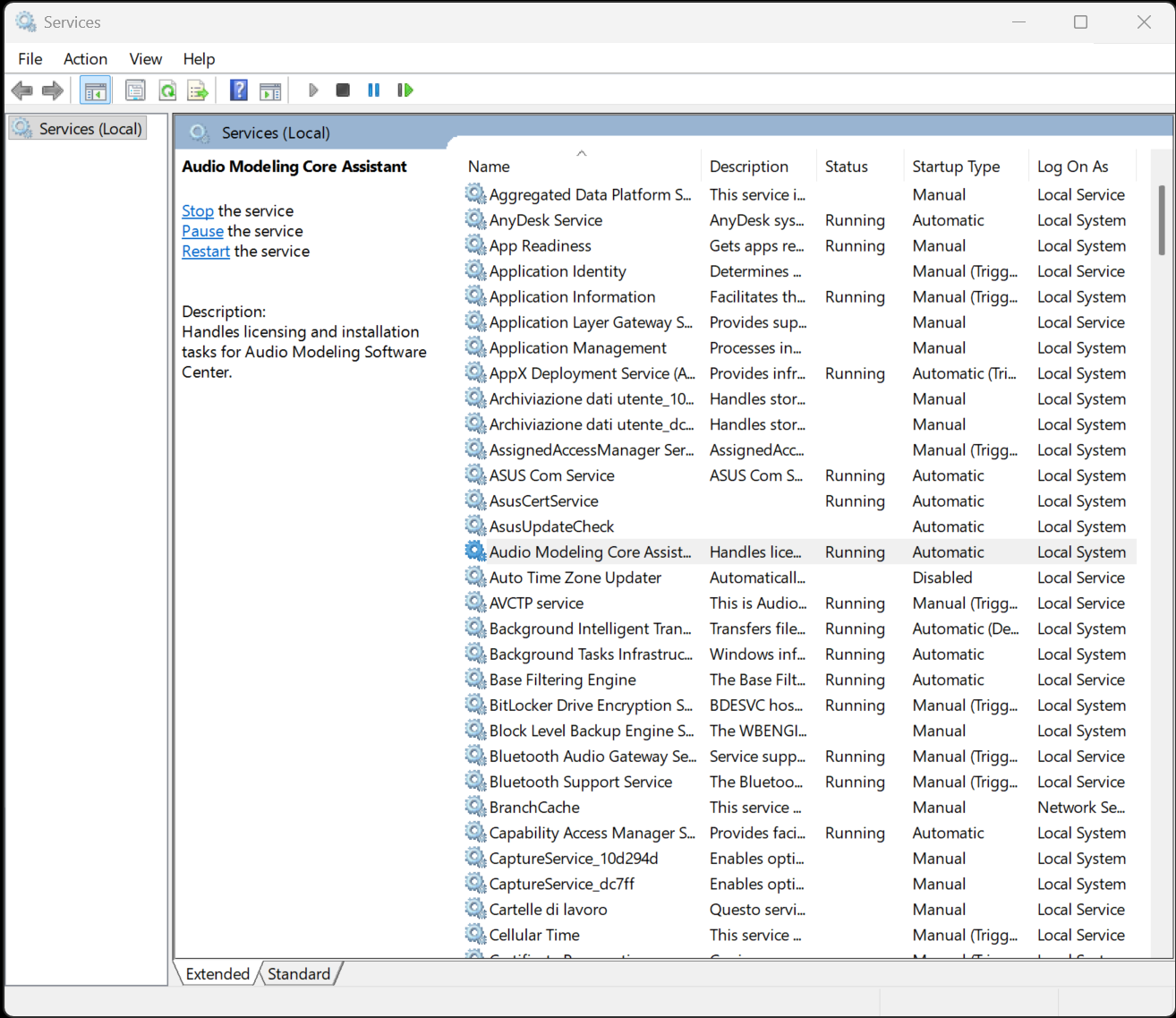
If the service is missing or cannot be started, proceed with a clean reinstall of the Audio Modeling Software Center.
macOS
On macOS, the background process is managed through Login Items.
1 - Go to System Settings → General → Login Items & Extensions.
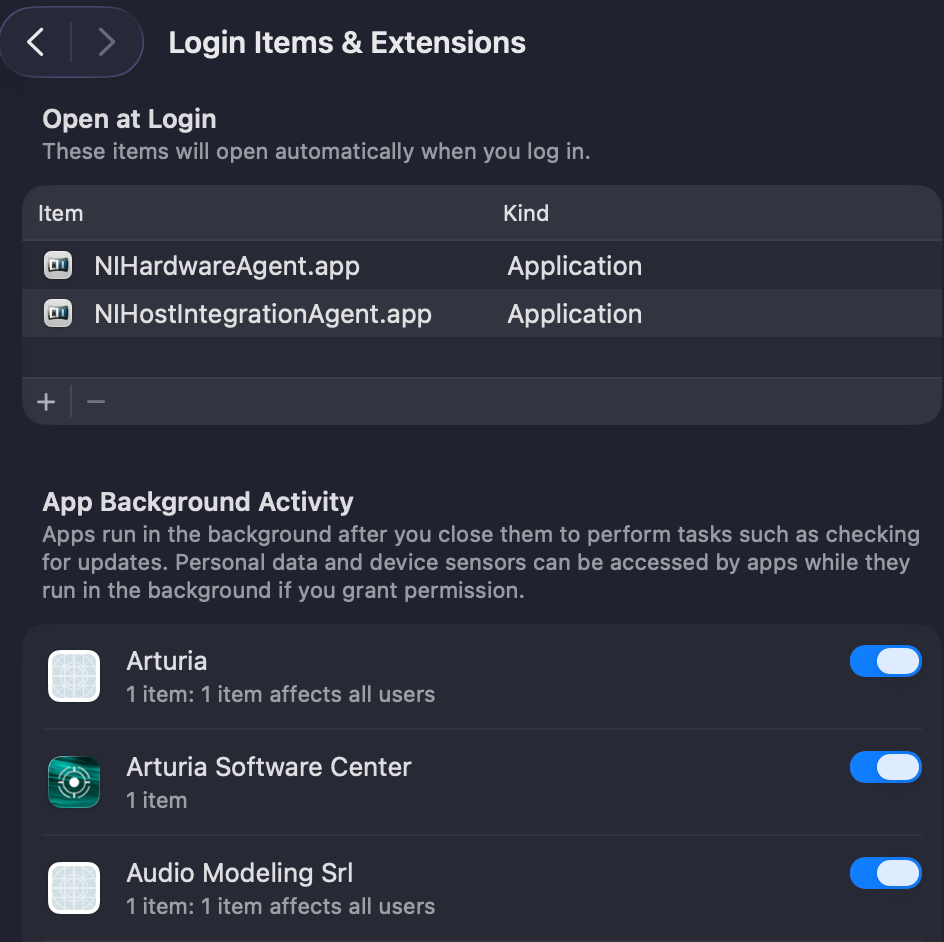
2 - Ensure that Audio Modeling Srl appears in the list of background items and is enabled.
If it is blocked or disabled, re-enable it and restart the Audio Modeling Software Center.
If the item does not appear or remains blocked, perform a clean reinstall of the Audio Modeling Software Center and re-check this section.
If the issue persists or you need further technical clarification, reach out to our support team with all relevant system details.
Was this article helpful?
That’s Great!
Thank you for your feedback
Sorry! We couldn't be helpful
Thank you for your feedback
Feedback sent
We appreciate your effort and will try to fix the article