You need to simulate what happens in real life, which means you need to add an instrument for each player of the section who plays slightly differently from the others.
Let’s say you want to create an ensemble of 6 violins.
- In a DAW, create one track for each player of the section and load a SWAM Violin on each.
- Each instance of the violins must behave differently from the others. To do that:
- Slightly detune each instance (from -15 to +15 cents).
- Select a different Instrument body for each instance (for example, Cremona, Firenze, Venezia)
- Slightly change the Bow Position, Bow Pressure, String Resonance, Rosin, Timbral Correction, and so on.
- Write the sequence for the first violin, copy it to the other tracks, then slightly randomize the starting point and the duration of each note for each track (in some DAWs, you can use the Humanize function).
- Turn off the internal reverb, insert a reverb plug-in on each track, and set different Early Reflection times (for example, from 20 to 40 ms). Mix and pan the positioning for each instance.
3. Apply a final reverb to the whole section.
Of course, running multiple instances of SWAM plus external reverbs will require a lot of CPU power. If you run out of power, you can render some tracks to audio and work on the remaining ones.
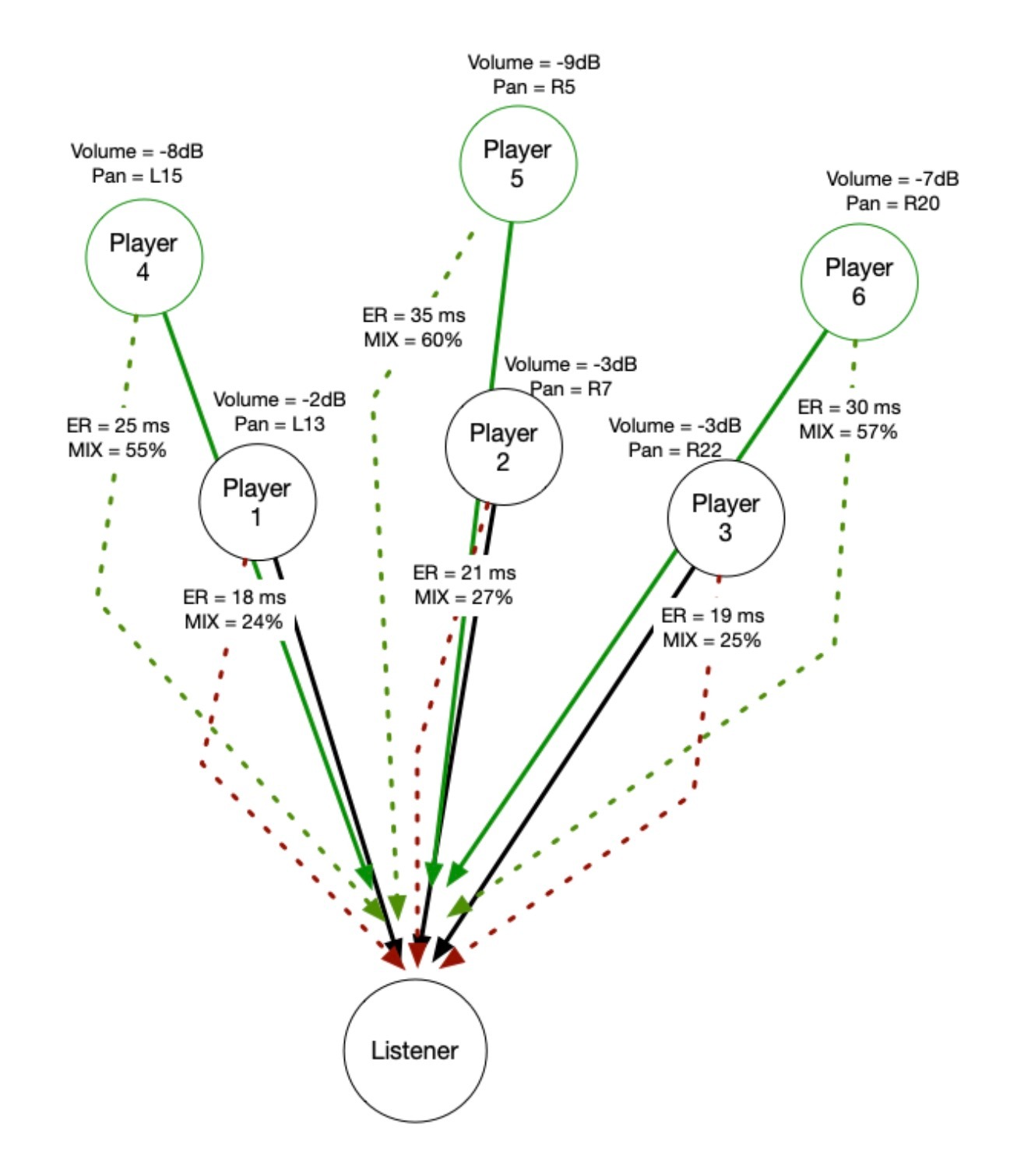
This is a rough example done with 4 violins. The track starts with the ensemble followed by each violin separately:
Was this article helpful?
That’s Great!
Thank you for your feedback
Sorry! We couldn't be helpful
Thank you for your feedback
Feedback sent
We appreciate your effort and will try to fix the article