Problem Description
You might encounter an issue where SWAM instruments seem to vanish from the Ambiente Room Simulator upon reopening a project in Logic Pro. This problem can manifest under the following conditions:
1. A new session is created in Logic Pro with several SWAM instruments placed in any of all three studios and the close mic room.
2. The project is saved and Logic Pro is quit.
3. Upon reopening the project, all instruments load in the Logic session but are missing from the Ambiente Room Simulator.
4. The instruments only reappear in Ambiente in their previous room and position after individually opening each instrument in their respective tracks.
Solution
This behavior is not a bug but is due to specific settings in Logic Pro. Here's how to resolve the issue:
Cause: Logic Pro Settings
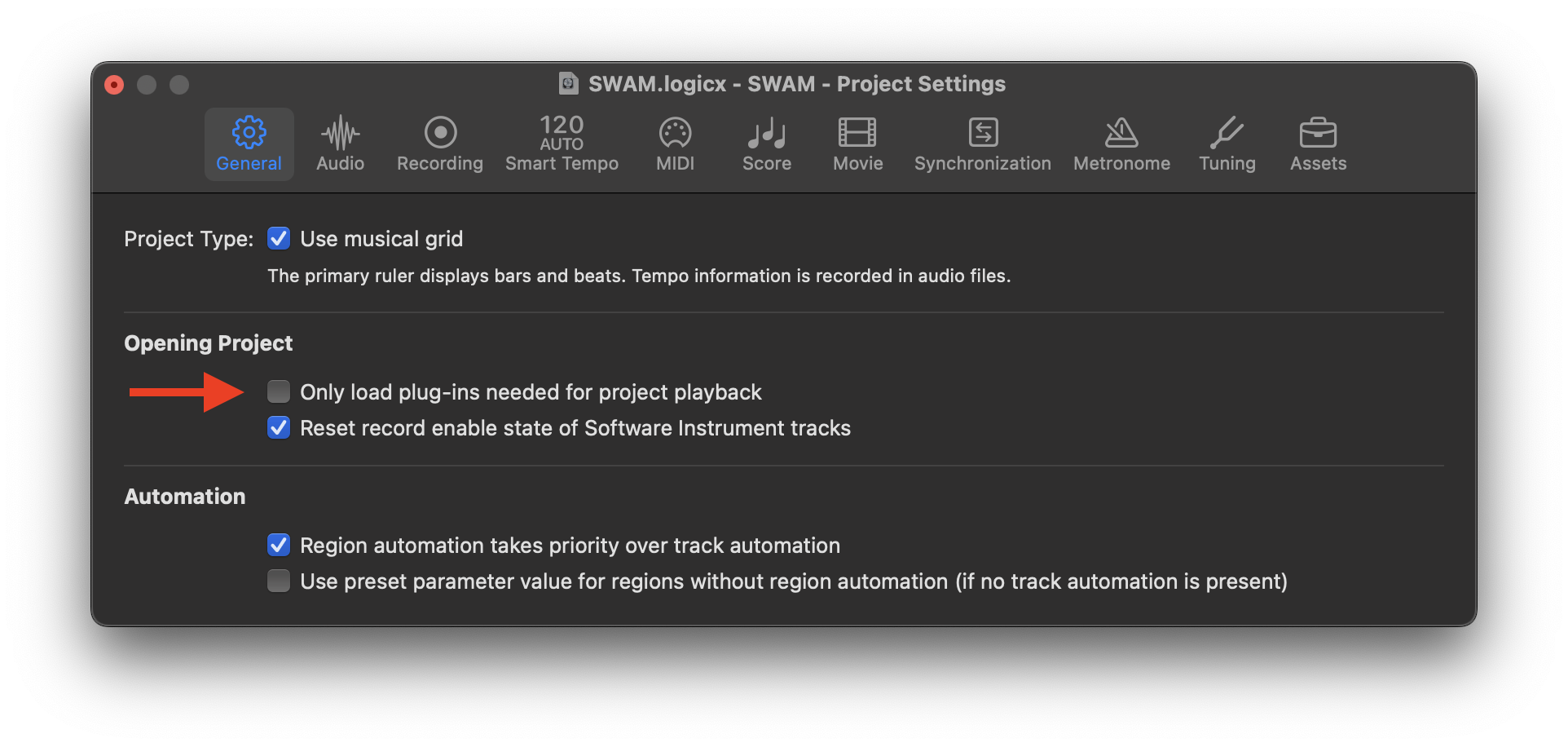
If the option "Only load plug-ins needed for project playback" is enabled in Logic Pro's project settings, Logic Pro will not load all plugins until they are needed for playback. Without any recorded MIDI data, the plugins do not load, preventing communication between the instruments and the Ambiente Room Simulator until they are manually opened.
Steps to Resolve: Adjust Logic Pro Settings
1. Deselect "Only load plug-ins needed for project playback":
- Open Logic Pro.
- Go to File > Project Settings.
- In the General tab, find the option "Only load plug-ins needed for project playback."
- Uncheck this option.
2. Save and Reopen the Project:
- Save your project after making this change.
- Quit and reopen Logic Pro.
- Reload your project to ensure all SWAM instruments are correctly loaded in the Ambiente Room Simulator.
By disabling the "Only load plug-ins needed for project playback" option, Logic Pro will load all plugins upon project startup, ensuring that all SWAM instruments can communicate with the Ambiente Room Simulator immediately.
Summary
If you notice your SWAM instruments disappearing from the Ambiente Room Simulator when reopening a project in Logic Pro, it is likely due to Logic Pro's plugin loading settings. Adjusting these settings as described above will resolve the issue and ensure proper loading of all SWAM instruments in the Ambiente Room Simulator.
Was this article helpful?
That’s Great!
Thank you for your feedback
Sorry! We couldn't be helpful
Thank you for your feedback
Feedback sent
We appreciate your effort and will try to fix the article