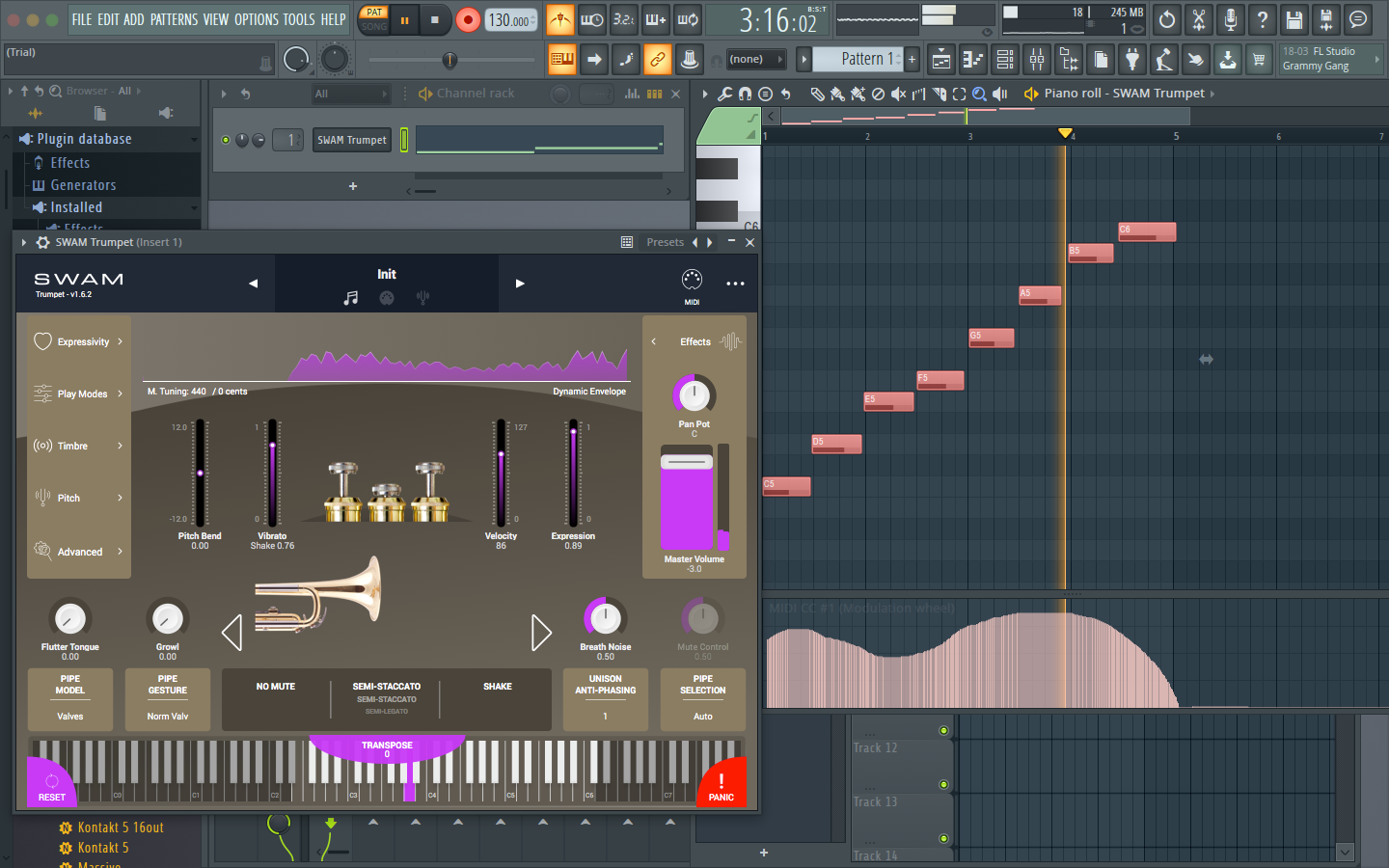
Note: You can use SWAM instruments even without a physical controller. In that case, you’ll need to draw expression curves (also called envelopes) or automations. If you don’t know how to achieve this, please refer to your DAW’s user manual.
Getting Started Guide
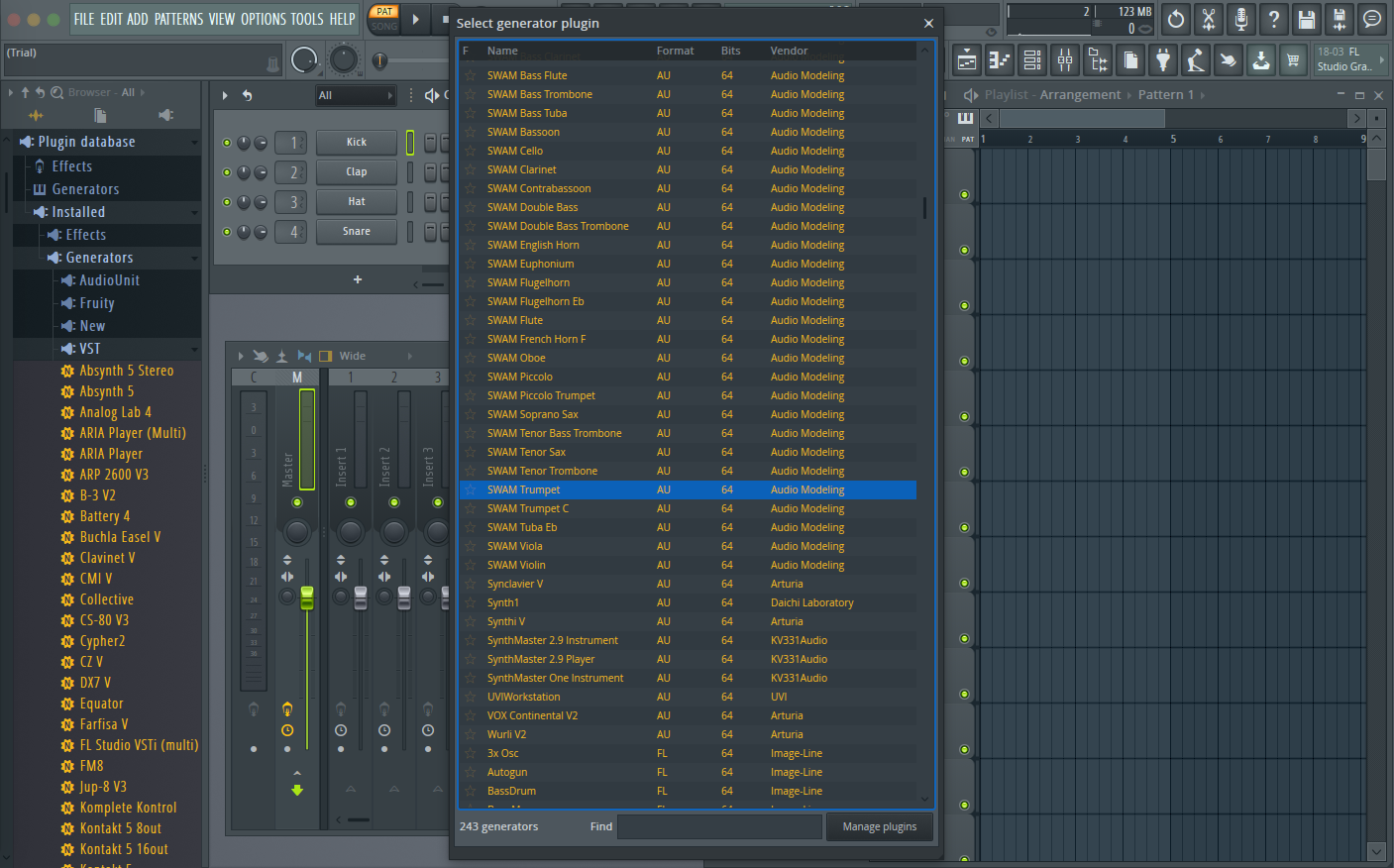
- Start FL Studio. Click on the top left menu Add -> Channel -> More Plugins...
- A new window appears. Search for your favorite SWAM instrument
- If you can't find the instruments, check inside Manage Plugins if the folder that contains SWAM instruments is in the list of Plugin search paths, otherwise add it. Then press the Start scan button on the top left corner of the FL Studio Plugin Manager window.
- Select the instrument you want to playand double-click on it to add it to your project (picture 1).
- The SWAM interface should open up automatically. To play it, record or draw your expression automation (picture 2).
Picture 1 — Add a SWAM plugin
Picture 2 — Drawing the automation
Was this article helpful?
That’s Great!
Thank you for your feedback
Sorry! We couldn't be helpful
Thank you for your feedback
Feedback sent
We appreciate your effort and will try to fix the article